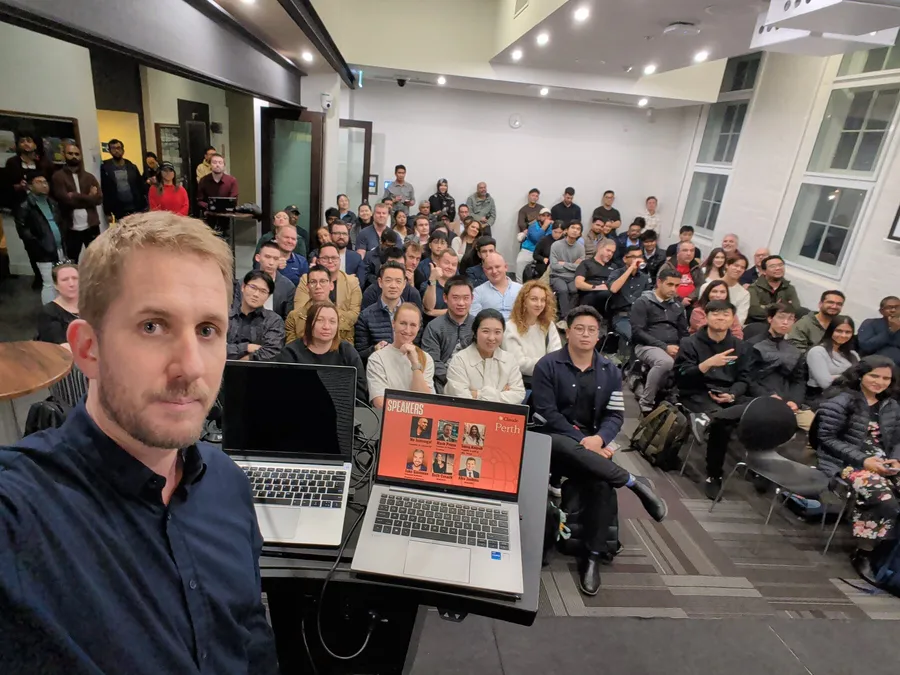
If you scanned the code during my talk, welcome. This page is the companion to it, somewhere to find the links and retrace the steps in your own time.
The whole talk rests on a fairly small idea. You do not need to be technical to start working with AI agents. You need a folder, a little curiosity, and a willingness to climb one step at a time.
Getting started
The thing that stops most people is the terminal. It looks like a place reserved for experts, but it really is not. You open it, paste a single line, and you are talking to the same models you already use, except now they can work on your actual files.
curl -fsSL https://claude.ai/install.sh | bash
irm https://claude.ai/install.ps1 | iex
The full instructions and options live on the official setup page. That is genuinely the whole barrier. Once you are in, the rest is just conversation.
One folder, as far as you want to take it
Everything starts with a folder. You make one, you talk to it, and from there it can grow into almost anything. That is the part I find most interesting. The same humble folder that holds a few notes today can, with a few more steps, begin to run parts of your life on its own. A low floor, and no ceiling. You can take the first step tonight, and the last step is closer than it looks.
The five steps
The talk walks up five levels. None are reserved for power users, and each one only adds a single new idea.
1. Start. Make an empty folder, open the terminal, and type claude. You are now talking to the same model as the app, except you own the files. Add one note, a claude.md, that says who the agent is and what you are working on. You can even ask it to write that note for you. A folder and that note are the whole foundation.
2. Context. The highest-leverage step. Give it everything: your documents, your data, your history, the real detail of the job. The more it knows, the better it works. Not sure what you want yet? Plan with it first, until the goal is clear. Most of the time, when people say the AI got it wrong, it just did not have what it needed to get it right.
3. Workspace. Teach it your moves. Skills capture a repeatable job once, so it runs the same way every time instead of you re-explaining. Hooks are your rules, the steps it can never skip. Skills are what it can do. Hooks are how it must behave. Now the folder is a workspace, not just a chat.
4. Connected. Hand it the keys. Tools, and an open standard called MCP, let the folder reach your calendar, your home, your email, your own data. This is the line where it stops answering and starts doing. It can book the thing, send the draft, dim the lights. It is also where the rules from step three start to earn their keep.
5. Autonomy. Let it run itself. Steer it from your phone, away from the desk. It can split a big job across its own helper agents, design its own workflow, and run on a schedule like a quiet heartbeat: triage, checks, the daily grind. The part I like most is that it can review and improve its own skills over time. This is real today, not a someday demo.
Worth reading next
A short, hand-picked list. Each of these is a good next step from here.
- Karpathy’s self-improving wiki. A living knowledge base that an agent maintains and improves itself. The self-improving idea, in one page.
- Effective context engineering for AI agents. Anthropic on the real skill of giving an agent the right information. This is the context step, in depth.
- Model Context Protocol. The open standard that lets your agent reach your other tools. This is the connect step.
- Claude Code best practices. How to set up a claude.md, skills and hooks well. The practical version of this whole talk.
Where to start
If you take one thing from the talk, let it be this. Tonight, make a folder and start talking to it. That alone already goes beyond the chat box. Then keep climbing, one step at a time. You do not need to be an engineer. You need a folder, and one job you would genuinely love to hand off.
Point it at something good.
If any of this was useful, or you would like to compare notes, I would love to hear from you. Feel free to reach out.