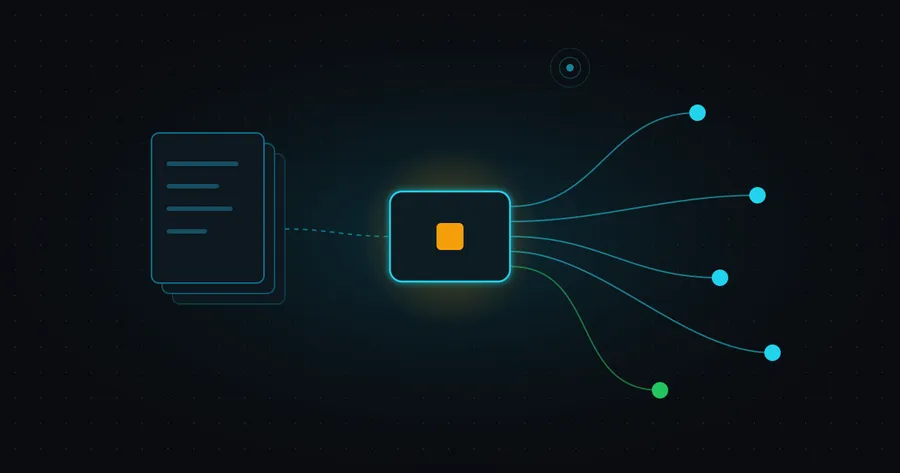
If an AI agent wants to read this site, it can scrape the HTML like anything else. Or it can connect to the site’s MCP server and ask for the posts directly. I added one in August, and it has changed a few times since.
Here’s the short answer. The server lives at mashprime.dev/mcp as a single Netlify function: about 180 lines of hand-written JSON-RPC with no dependencies. It offers five read-only tools over MCP’s Streamable HTTP transport. It reads the same static files the site already publishes, so it has no database and can’t drift out of date.
What does the server actually do?
It answers five tools, all read-only:
site_inforeturns the site’sllms.txt, a plain-markdown map of who I am and every page.list_postslists published posts with slug, title, description and date.read_postreturns one post as markdown.search_postsruns keyword search across titles, descriptions and full text.related_postsreturns the posts closest in meaning to a given post.
There’s no database behind any of them. At build time the site already writes a post index (/api/posts.json), a markdown version of every post (/blog/<slug>/index.md) and a search index. The function fetches those over HTTP from its own origin. When I publish a post, the server knows about it as soon as the deploy finishes, with nothing extra to update.
Search is BM25 over that static index, and related posts come from embeddings I compute on my own machine and commit to the repo. I’d tried a version with an “Ask” feature that answered questions using a model. I removed it in October because I didn’t want a paid model API behind the site, or a roughly 40 MB model download for visitors. The tools that are left cost nothing to run per request.
Why hand-roll it instead of using an SDK?
Because the server needs so little of the protocol.
The Streamable HTTP transport lets a server take each JSON-RPC message as a POST and answer with plain JSON. Session IDs are optional, and a server that doesn’t stream events can answer GET with 405 Method Not Allowed. That describes this server exactly. It handles initialize, ping, tools/list and tools/call, accepts notifications with a 202, and has no state between requests. That suits a serverless function well.
A few details I’m glad I added:
- Slugs are cleaned before use.
read_poststrips anything that isn’t a letter, digit or hyphen before building a path. - Tool failures come back as results, not crashes. A missing post returns
isError: truewith a message that points tolist_posts, which matches how the spec separates tool errors from protocol errors. - GET explains itself. Instead of a bare 405, it returns a problem document with the install command, the server card and a link to the docs.
- One source for tool definitions. The tool names and schemas live in one file. The browser-side version of the tools reads the same file, so the two can’t drift apart.
The tools are read-only by design. A public server with no authentication shouldn’t be able to change anything, which is the same principle I wrote about in a prompt is not a permission system.
One requirement took more thought than the rest. The transport spec has said servers must validate the Origin header since its 2025-03-26 revision, and the 2025-11-25 revision added that an invalid one must get a 403. The rule exists to stop DNS rebinding, where a web page tricks your browser into talking to a server on your own machine. That matters a lot for local servers. It matters much less for a public, read-only server with no logins, where any site is meant to be able to call it.
For a while /mcp didn’t check at all. Now it does, with a rule that fits a public server. No Origin header means a non-browser client, which is fine. Any https origin is fine. Plain http is only accepted from localhost, so tools like the MCP Inspector still work. Anything else, including the literal null origin that sandboxed frames send, gets a 403.
How do agents find it?
A server nobody can find isn’t much use, so most of the follow-up work went into discovery. In September I ran an agent-readiness scan over the site and worked through what it flagged:
- A server card at
/.well-known/mcp.jsondescribes the server, its tools and how to install it. - The official MCP Registry lists it as
dev.mashprime/mashprime. The registry checks domain ownership by fetching a public key from/.well-known/mcp-registry-authand verifying a signature made with the matching private key. That key stays outside the repo, and a small script signs in with it and publishes each new version. - An API catalogue at
/.well-known/api-catalog, plusLinkheaders on the home page that point to the OpenAPI spec, the developer docs andllms.txt. - A developer page with the one-line install for Claude Code,
claude mcp add --transport http mashprime https://mashprime.dev/mcp, and a JSON config for other clients.
The same tools are also offered in the browser through WebMCP, a W3C community group draft that lets a page register tools for an agent running in the browser. On a supporting browser, every page exposes the same read tools, and blog posts add a couple that act on the open tab.
What did I have to fix afterwards?
Two things: a rate limit, added on 26 October, and the Origin check above, added on 1 November.
The JSON API at /api/v1 already had two limits from the start: a per-instance counter in the function that reports RateLimit headers at 60 requests a minute, and a platform limit of 120 a minute per IP as a backstop. The MCP endpoint had neither. Every tool call refetches the post and search indexes, so an over-eager client could make a lot of requests on my behalf for nothing.
The fix was a few lines. Netlify lets a function declare a rate limit in its exported config, counted per IP and domain, and returns a 429 when a client goes over. /mcp now has the same 120-a-minute limit as the API. Netlify’s docs note that enforcement can take up to 10 seconds to kick in, which is fine for a backstop.
The same commit also upgraded the site’s dependencies, but only to versions at least two weeks old. That was during a wave of malicious npm packages, and a short wait is a cheap filter.
Should your blog have one?
If your site is mostly static, the cost is small: one function, a few discovery files and some tests. If you’re writing about agents, it’s also an honest way to find out how the protocol behaves in practice. It’s the tools layer from the agent stack I keep coming back to, just very small.